One of the hardest problems in building an AI assistant for a website or intranet isn't the AI part. It's the permissions part. How does the AI know what a specific employee is allowed to see? How do you prevent it from surfacing a confidential HR document to someone who has no business reading it? How do you keep AI responses in sync with content that changes constantly?
Most AI implementations either ignore this problem entirely: indexing all content into a vector database without checking who's allowed to see what, or solve it with brittle custom code that breaks every time the underlying CMS or AI provider updates something. Neither is a serious answer for an organization that actually cares about access control.
Hissy at Macareux Digital just open-sourced a framework that solves this properly.
What the Atlas Framework does
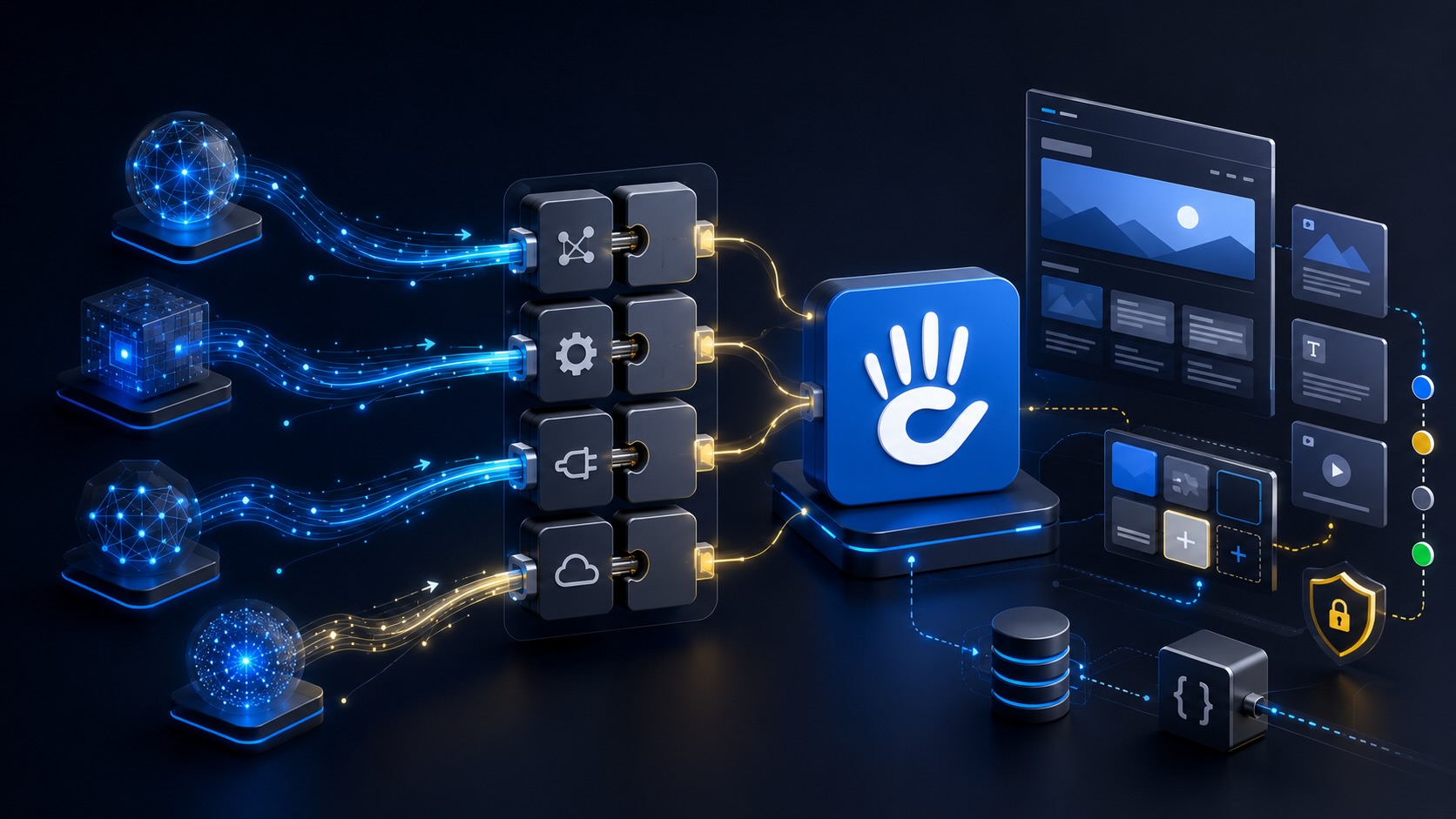
The Macareux Atlas Framework is an adapter architecture for connecting AI agents to Concrete CMS in a way that respects existing permissions at the point of answer, not just at the point of indexing. The key distinction matters: most RAG (retrieval-augmented generation) systems copy content into a separate vector store and check permissions once, at ingest time. If permissions change after that initial indexing, the vector store doesn't know. Atlas doesn't copy content anywhere. It sits between the AI agent and Concrete CMS, using Concrete's own keyword search in a two-phase process: an overview pass first, then a detail pass, to retrieve content for each session, enforced per request. You use the search infrastructure you already have. No separate ingest pipeline, no vector store to maintain, no drift between what the CMS knows and what the AI can see.
The architecture is simple enough to state in a sentence: Concrete CMS handles authentication, authorization, and content retrieval. The AI agent handles understanding questions and generating answers. An adapter connects them through a small, stable HTTP contract with three endpoints. The AI agent never touches content the current user isn't allowed to see.
One thing worth being clear about before you open the repository: Atlas provides the adapter framework and the specification. The AI agent itself (the Assistant Core that handles intent and generates responses) is a separate project you bring. That separation is intentional. It means you can use whatever AI framework you prefer (Mastra, LangGraph, OpenAI Agents SDK, or something else) and Atlas handles the CMS integration layer regardless of your choice.
The README's comparison against the alternatives is worth reading in full, but the short version is: custom RAG pipelines have weak permission enforcement because embeddings are indexed once and ACL sync is hard to maintain; CMS-native chatbot plugins are often public-only or admin-only and locked to one CMS; direct LLM plus CMS API connections are easy to get wrong because the caller has to reimplement authorization themselves. Atlas enforces permissions per session at the adapter boundary, and the same agent core can talk to multiple CMSs by swapping adapters rather than rebuilding the agent.
From the forum post where Hissy announced it:
Knowledge belongs to the CMS. Understanding belongs to AI. Trust belongs to the boundary between them.
That's the right framing. The CMS is the source of truth for identity and authorization. The AI is the interface that makes that knowledge accessible in natural language. The adapter is the security boundary that keeps them cleanly separated.
Why this is significant for Concrete specifically
Concrete CMS has always had one of the strongest permissions models of any open source CMS. Role-based visibility, workflow approval, audit trails. All in core, not bolted on. The frustrating gap has been that most AI assistant implementations bypass that entirely, treating your intranet content as a flat corpus to be indexed rather than a permission-structured system to be respected.
Atlas closes that gap. Because it reuses Concrete's existing search and permission enforcement rather than building a parallel system, the AI assistant inherits the same access controls your editors and employees already work within. A logged-in employee with access to the HR section sees HR content in AI responses. Someone without that access doesn't. The same intranet permissions model that governs the site governs the AI assistant.
Macareux Digital is already running this in production on their own Concrete CMS documentation site. It went from specification to working AI agent in a few hours, which is the other meaningful part of this: Atlas includes a detailed architecture spec written specifically so that both developers and AI coding assistants can understand the architecture before writing any code. The "hours, not weeks" claim in the title of the forum post isn't marketing. It reflects how much of the hard design work the framework does upfront.
The Concrete CMS MCP Server: the other side of the coin
Hissy also previously released a Concrete CMS MCP Server, which is a related but different tool and worth understanding alongside Atlas.
An MCP (Model Context Protocol) server lets an AI tool like Claude talk directly to your Concrete CMS installation: reading site content, publishing pages, suggesting edits, or running comparisons between your site and external data sources. Atlas lets AI answer questions from your CMS content. The MCP Server lets AI work with your CMS as an operator.
A community member named katalysis shared a real example of the MCP Server in action:
"I used this for the first time this week. It enabled Claude to quickly provide a long list of .htaccess redirects for an updated site when compared to the indexed pages from Google Search Console. Lots of time saved. What a useful tool!"
That's a practical, unglamorous use case that probably saved a few hours of manual URL mapping work. Claude compared the indexed pages from Search Console against the updated site structure and generated the redirect rules. No custom script, no spreadsheet matching exercise, no manual cross-referencing. The MCP Server gave Claude the site context it needed to do the comparison intelligently.
The two tools are complementary and serve different roles. Use Atlas to build an AI assistant that helps your employees or users find information on your site, with Concrete's permissions enforced at every response. Use the MCP Server when you want AI to become a productive tool for whoever manages the site: editors, developers, SEO teams working directly with CMS content and structure.
Who should look at this
If you're a developer building on Concrete CMS and you've had a client ask about adding an AI assistant to their intranet, or you've been asked and didn't know where to start, Atlas is worth an hour of your time. The GitHub repository includes the full architecture specification, the OpenAPI contract, and the reference Concrete CMS adapter. You can have something running against your own site today.
If you're an organization running Concrete and you're wondering whether an AI assistant is something you could actually deploy without compromising your access controls, this is the answer to that question. Talk to a Concrete partner or start a trial to see the permissions model in action first.
And if you want to contribute, new adapters for WordPress, Drupal, headless CMS platforms, Salesforce, or other systems are explicitly welcome. See the contributing guide on GitHub.
Nice work, Hissy.