WordPress runs something like 43% of the web. That number gets cited constantly, usually as the end of the conversation. But market share is a funny thing to optimize for, it tells you what's popular, not what's right for your organization.
We're obviously not a neutral party here. We make Concrete CMS, so take our perspective with appropriate skepticism. That said, we've been doing this since 2003, we've competed with WordPress for a long time, and we've learned to be honest about where we win and where we don't. This post is our genuine attempt to lay that out, and we've leaned on user reviews from G2, TrustRadius, and other third-party platforms to keep ourselves honest.
What Actual Users Say
The third-party review data is pretty consistent across platforms, and none of it is ours to spin.
On TrustRadius, Concrete CMS scores 9.2 out of 10 against WordPress's 8.6 a meaningful gap on a platform with over 3,400 combined reviews. On G2, both platforms sit at nearly the same overall rating (Concrete at 4.5/5, WordPress at 4.4/5), but dig into the subcategories and a clearer picture emerges: reviewers rated Concrete higher than WordPress specifically on ease of use, ease of setup, and ease of administration, and said they preferred doing business with Concrete overall. For a platform with a fraction of WordPress's review volume, that's a strong signal.
The qualitative reviews tell a more textured story. One G2 reviewer put it plainly:
"WordPress is a box into which you wedge your website, whereas Concrete is a foundation around which you create your website."
WordPress was built as a blogging tool and grew into a general CMS through layers of plugins. Concrete was built from day one as flexible building material for complex sites. That architectural difference shows up in how people actually experience using both.
On TrustRadius, one reviewer who evaluated both platforms directly chose Concrete specifically because of its permissions model:
"WordPress's blog structure is great for that, blogs. Once you start going into more complex web environments it struggles immensely and it also has many security issues.
Concrete solves this with a great permissions model and a reusable UI component architecture."
Another noted that
Concrete "beats WordPress hands down with features" despite WordPress having a larger extension library.
WordPress reviewers on TrustRadius and G2 consistently point to the ecosystem as the decisive advantage.
"Every designer, web developer, SEO hand and intern you meet will have used this platform before. You don't need to reinvent the wheel."
That's a real benefit, especially for teams that depend on external hires or agencies.
On the Concrete side, it's often the people who have worked across multiple platforms who are most direct about it.
"After having worked in Joomla, Drupal, WordPress, Orchard, Ektron and Sitefinity, Concrete is by far my favorite go-to CMS. It's the most intuitive and easiest to work with out of them all."
Another reviewer:
"From a security perspective it ticks all the boxes and you don't have to install numerous third-party plugins to get basic functionality like other systems."
Where WordPress Actually Shines
WordPress is the right answer for a lot of projects, and we're not going to pretend otherwise.
It's the best choice for primarily editorial sites: news, blogs, content-heavy marketing. The plugin library is genuinely enormous if you need a specific integration or niche feature, someone has almost certainly already built it. The available developer talent pool is large, which matters if you're working with external agencies or need to hire.
If your team already knows WordPress well, that institutional knowledge has real value. Switching platforms has costs that go beyond software licensing.
Where WordPress Gets Complicated
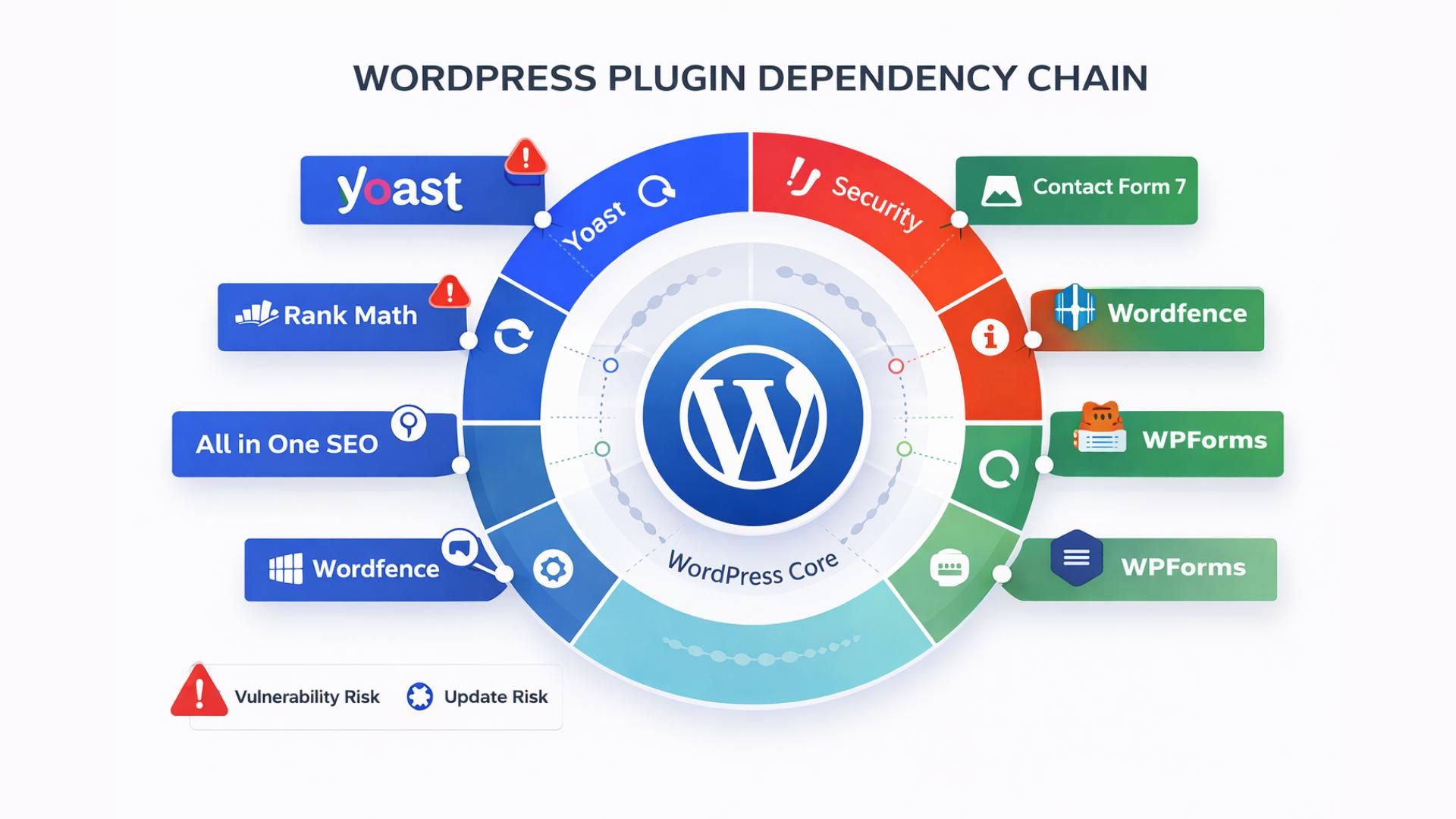
Here's the tradeoff that doesn't get discussed enough: WordPress ships as a relatively thin core. The power comes from plugins, and plugins are where almost all the risk lives.
In 2024, security researchers documented nearly 8,000 new vulnerabilities in the WordPress ecosystem. Over 96% were in plugins and themes, not in WordPress core itself. More than half of the plugin developers who were notified of a vulnerability that year didn't patch it before the issue was publicly disclosed.
When you install a plugin, you are trusting that developer's entire security posture. A typical WordPress site with a reasonable feature set might run 20 or 30 plugins from 20 or 30 different sources. That's 20 or 30 separate things that need updates, compatibility testing, and monitoring. When a plugin stops being maintained, you're left with a permanent vulnerability you can't patch.
This is the maintenance math that WordPress sites quietly accumulate over time, and it's why the total cost of ownership is often higher than it looks at the beginning.
What Concrete Does Differently
Concrete CMS ships with the functionality most organizations actually need already built in: permissions, workflow, multilingual support, multisite, calendars, form builders. These aren't third-party bolt-ons. They're maintained by the same core team that maintains the rest of the platform. When you do need a plugin for a Concrete site, it comes from a reviewed and curated marketplace. Not a wild-west bazaar.
That means fewer moving parts. Fewer dependencies. When Concrete releases a core update, it covers the whole system.
The permissions model is something WordPress genuinely doesn't match without significant additional tooling. Concrete lets you control who can edit what, where, when, and in what order, with workflow baked in. For organizations with multiple content contributors, compliance requirements, or multilingual sites, that's not a nice-to-have. It's load-bearing infrastructure.
Learn More About Concrete
Interested in saving time and having a secure website? Learn what Concrete CMS can do for you.
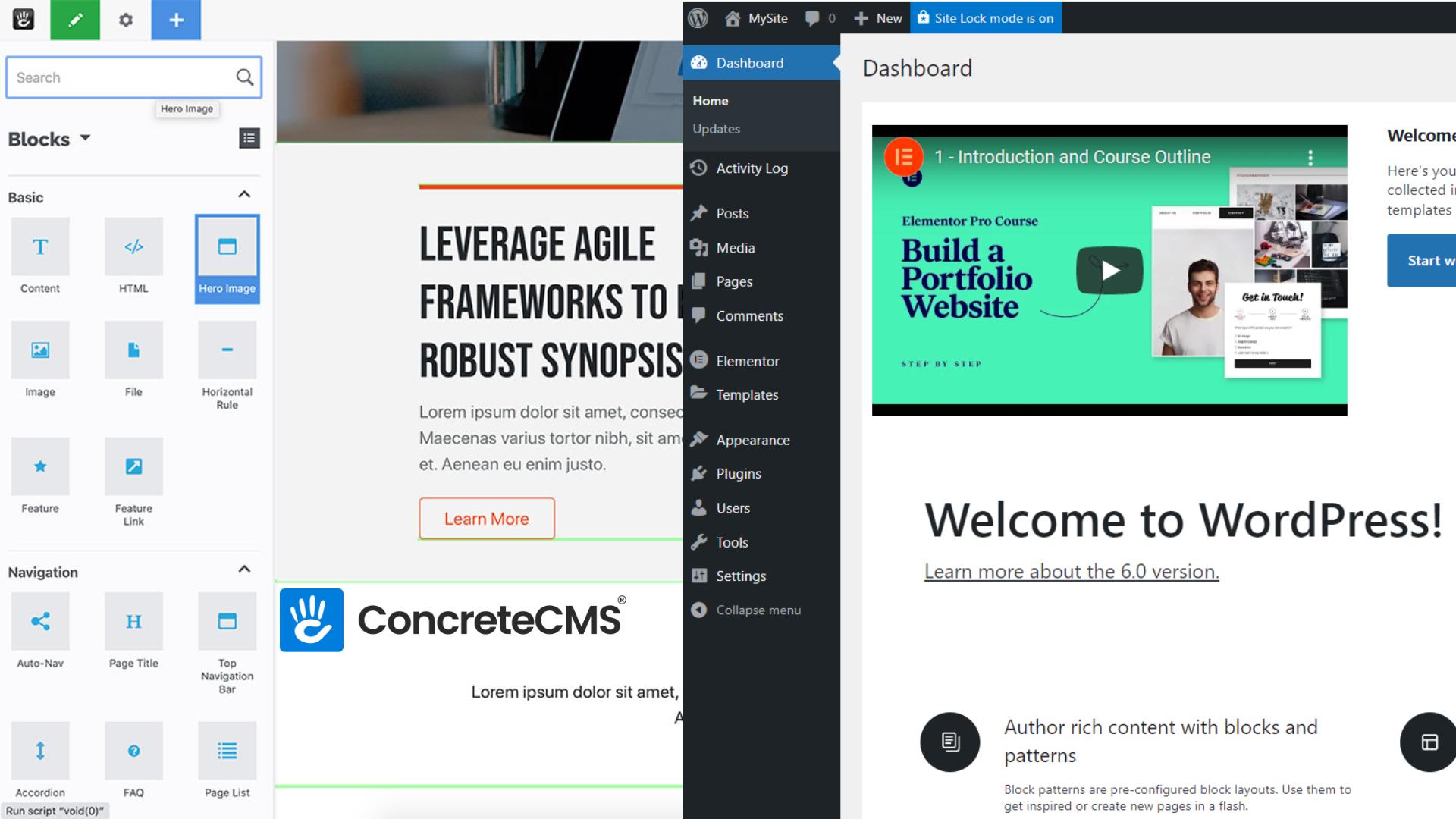
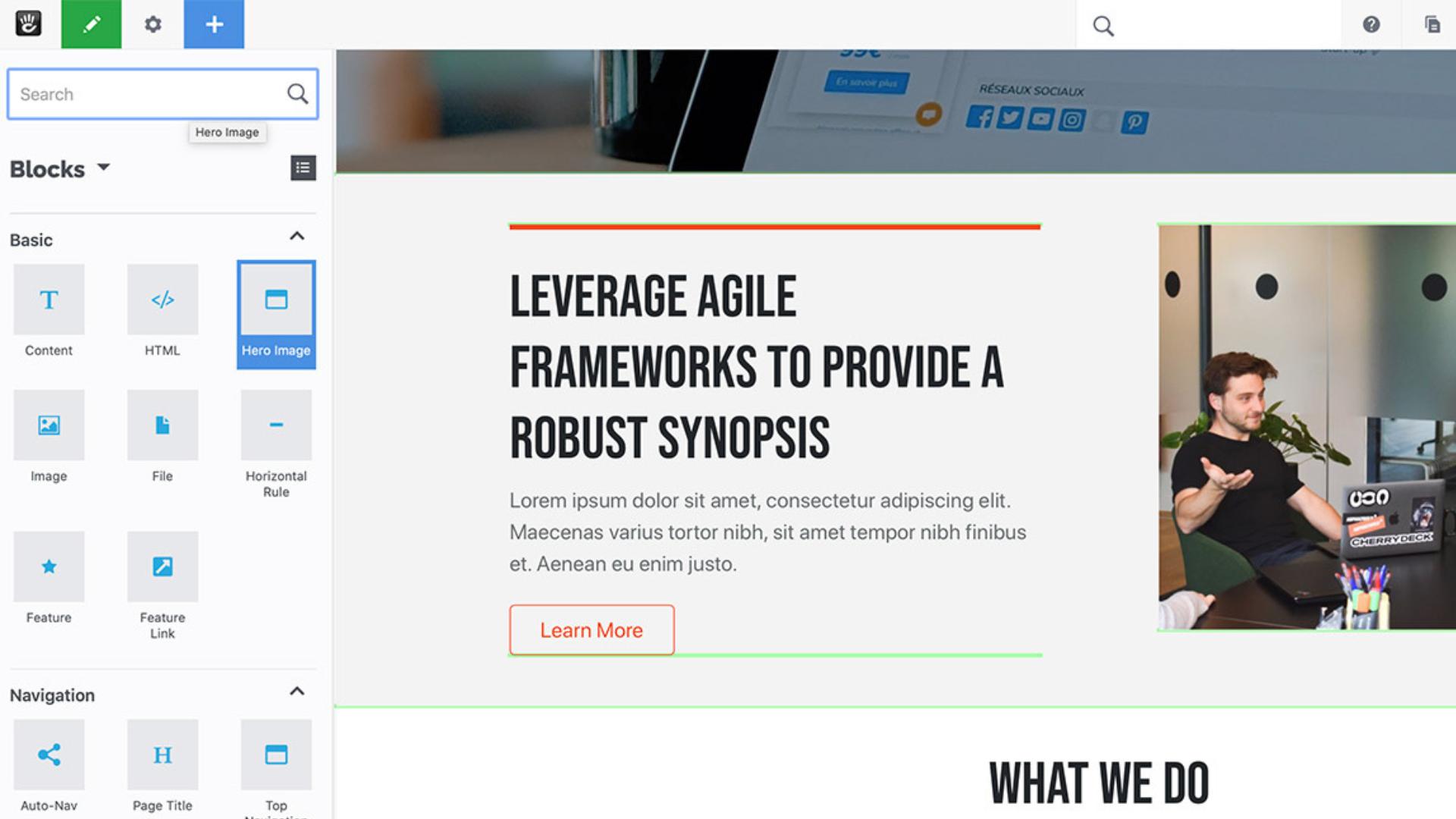
The in-context editing experience is another thing we're proud of. Concrete has shipped true front-end editing since the beginning you edit a page by clicking on it, not by navigating to a backend editor. WordPress has made real improvements here with Gutenberg and tools like Elementor, but "improved by plugin" still carries a maintenance story. Elementor Pro alone had a critical remote code execution vulnerability in 2024.
Security: How the Two Platforms Compare
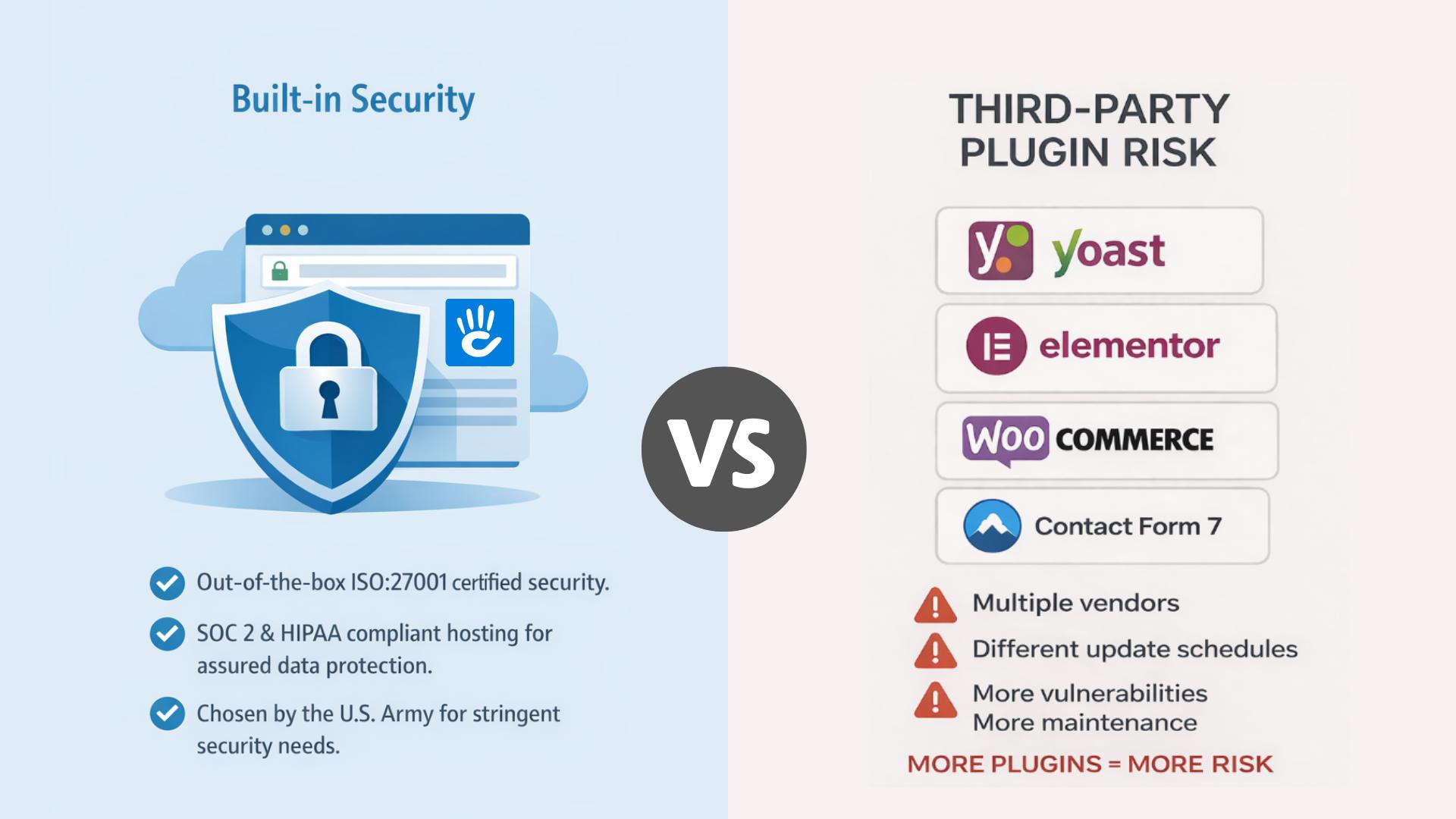
Security is where the architectural difference between the two platforms becomes most consequential, and it's worth spending more time here than most comparison posts do.
WordPress core is reasonably secure. The core team responds to vulnerabilities quickly and the update process is well-established. The problem isn't WordPress core it's everything around it. In 2025, over 11,000 new vulnerabilities were discovered in the WordPress ecosystem, with 91% found in plugins and 9% in themes. Only six were in core itself. That means the security of your WordPress site is only as strong as the weakest plugin you've installed, and you may be running dozens of them.
The numbers that should concern compliance-minded organizations: in 2024, 43% of WordPress vulnerabilities could be exploited without any authentication at all. An attacker doesn't need to log in, doesn't need to find a weak password, doesn't need any foothold. They just need to find a site running a vulnerable plugin. And in 2024 alone, more than half of plugin developers who were notified of a vulnerability didn't patch it before public disclosure. Those unpatched plugins don't go away they sit on live sites, exposed, sometimes indefinitely.
Concrete CMS takes a fundamentally different approach. Because the functionality most organizations need ships in core, you're not assembling a security perimeter from 20 different third-party codebases. The attack surface is smaller by design. The codebase is fully open source and auditable, which matters enormously to security teams in regulated environments there are no black boxes, no closed-source components where something could be hiding.
We host hundreds of sites for the U.S. Army on AWS. We work with banks, government agencies, and healthcare-adjacent organizations. Those clients have done serious security reviews, and Concrete's architecture holds up to that scrutiny in ways that a heavily pluginized WordPress installation often doesn't. That's not a marketing claim it's a reference list.
None of this means WordPress can't be made secure. It can, with the right hosting, the right security plugins, rigorous plugin auditing, and ongoing maintenance discipline. But "can be made secure with significant ongoing effort" is a different value proposition than "ships secure by default." For organizations where a breach carries regulatory consequences, that difference matters.
Enterprise: What to Know Before You Choose

Enterprise CMS evaluations have a specific shape. There's a project lead who needs the site to work well and wants to show value quickly. There's an IT or compliance team that needs to approve the platform and stay comfortable with it over time. And there are content contributors who will use it every day and will quietly route around it if it's too painful to use. A CMS that fails any one of those groups tends to fail the whole project eventually.
WordPress is used at enterprise scale, but it gets there through customization, managed hosting arrangements, and enterprise-focused plugins that add up to a significant total cost of ownership. The platform wasn't designed for the governance requirements enterprises typically carry it was designed for publishing, and publishing it does well. The enterprise story is a retrofit, not a foundation.
Concrete was built with organizational complexity in mind from early on. The permissions model supports multi-level approval workflows, page-level and block-level access controls, content expiration, and multilingual publishing all in core. For an organization running a multisite installation across multiple departments, languages, or brands, Concrete handles that without requiring a stack of third-party tools to reach the same outcome.
The hosting story matters for enterprise too. PortlandLabs offers Custom SLA hosting contracts for organizations that need dedicated support, defined response times, and compliance documentation. That's a different conversation than shared hosting or a generic managed WordPress provider. For organizations in sectors like government, finance, or defense where the vendor relationship itself has to survive procurement review, having a single accountable team behind the platform and the hosting is worth something.
The clients that tend to find Concrete most useful at enterprise scale are organizations in compliance-heavy industries, teams that need non-technical contributors to manage complex sites independently, and IT departments that want to minimize third-party plugin surface area. If that describes your situation, Concrete is worth a close look. If you're a media company with a large editorial team running a primarily content-driven operation, WordPress with a strong managed hosting partner is likely the more practical path.
Concrete CMS Is a Strong Fit If…
Your organization is security-conscious or compliance-driven. Government, finance, healthcare, regulated industries generally the reduced plugin surface area matters, and the fully open source codebase means your security team can audit everything. The U.S. Army, the California Secretary of State, and several banks have all looked at this closely and chose Concrete for exactly these reasons.
You have a team of content contributors who need an intuitive editing experience without much training. The in-context editing model means most contributors are productive quickly, and you spend less time managing the CMS and more time managing the content.
Your site needs built-in workflow, permissions, multilingual, or multisite capabilities. If you're building an intranet, an employee portal, a government information site, or anything that goes beyond a standard marketing website, Concrete's feature set ships ready for that work.
You want predictable maintenance. One platform, one team, one update cadence. There's a reason users describe it as simpler to own long-term.
Concrete CMS Is Probably Not the Right Fit If…
Your site is primarily a blog or straightforward editorial outlet. WordPress owns that category and the tooling around it is excellent.
You're running an e-commerce operation built around WooCommerce. That's a WordPress-native ecosystem and moving away from it creates friction with no obvious payoff.
You need a very specific third-party plugin integration that only exists in the WordPress marketplace. The WordPress library is still substantially larger than ours, and if something you depend on only exists there, that's a real constraint.
Your team is deeply invested in WordPress already. Developer talent, institutional knowledge, and existing workflows all have value. If everything is working well and security isn't a primary concern, there's no compelling reason to switch.
The Bottom Line
These are both serious, capable platforms. Gartner isn't wrong that web content management has become commodity software at the basic level. What differentiates them is the architecture, the maintenance model, and who's running the site.
For organizations where security, compliance, permissions, and content governance are the real requirements, Concrete is purpose-built for that work. For straightforward marketing sites, editorial platforms, or teams with deep WordPress expertise, WordPress is often the right answer.
If you want to see what Concrete actually feels like to use, the fastest path is a demo no setup, no dev environment, just the product.
FAQ: What Is the Best Open Source CMS for Team Collaboration Compared to WordPress?
The core requirements are granular permissions, built-in workflow, and an editing experience that non-technical contributors can actually use without training. A CMS that requires every content update to go through a developer is not a collaborative platform it's a bottleneck. The best options for teams ship these capabilities in the core rather than requiring you to assemble them from third-party extensions.
Concrete CMS has permissions, workflow, and in-context editing built directly into the platform. You can define exactly who can edit which sections of a site, require approval steps before content goes live, and set expiration dates on pages all without installing anything beyond the base install. Editors work directly on the front end of the site, which means less training and fewer mistakes.
WordPress requires plugins to reach the same level of governance. Role management extensions, editorial workflow tools, and front-end editing builders are all available in the WordPress ecosystem, but each one comes from a different developer, requires its own maintenance, and introduces its own compatibility surface. For a small team with simple needs, this works fine. For organizations that need reliable, auditable content governance, assembling that from plugins adds meaningful overhead and risk.
WordPress core is free and open source. Hosting starts around $9/month on WordPress.com, though self-hosted WordPress on a third-party host is typically cheaper. The real cost is in plugins many of the tools needed for enterprise-grade collaboration and governance carry annual subscription fees, and the total adds up quickly.
Concrete CMS is also free and open source. Self-hosted installations have no licensing cost. PortlandLabs offers managed SaaS hosting with plans starting at $4.99 per month and scaling up to custom enterprise SLA contracts for organizations that need dedicated support, compliance assistance, and high-availability infrastructure. For teams that want the full platform without managing servers, the SaaS option is the fastest path to getting started.
For an accurate pricing comparison at the enterprise level, the honest answer is that it depends heavily on what WordPress plugins you need to match Concrete's out-of-the-box feature set. Workflow, permissions, multilingual, multisite, and calendars are all included in Concrete. Each of those is a separate line item in a WordPress budget.
Concrete CMS consistently scores higher than WordPress on ease of use in third-party reviews on both G2 and TrustRadius, and the feedback from actual users reflects why: in-context editing means contributors work on the live page rather than navigating a backend interface. Most people can figure it out without formal training.
WordPress's default editing experience has improved significantly with the Gutenberg block editor, but the gap between what editors see while editing and what the published page looks like is still a source of confusion for many non-technical users. Page builder plugins like Elementor close that gap, but again that's another tool to maintain.
Yes, and this is where the difference is most pronounced. Concrete's smaller attack surface, fully auditable open source codebase, and built-in access controls make it easier to meet compliance requirements than a WordPress installation that relies on third-party plugins for core governance functionality. The U.S. Army, the California Secretary of State, and several financial institutions have all deployed Concrete for exactly these reasons. For organizations where security and compliance are non-negotiable, Concrete is worth a close look.
Sources
- TrustRadius. (n.d.). Concrete CMS vs WordPress. Retrieved April 1, 2026, from https://www.trustradius.com/compare-products/concrete-cms-vs-wordpress
- SecurityWeek. (2024). 8,000+ new WordPress vulnerabilities reported in 2024. Retrieved April 1, 2026, from https://www.securityweek.com/8000-new-wordpress-vulnerabilities-reported-in-2024/
- G2. (n.d.). Concrete CMS vs WordPress.org. Retrieved April 1, 2026, from https://www.g2.com/compare/concrete-cms-vs-wordpress-org
- Patchstack. (2026). State of WordPress security in 2026. Retrieved April 1, 2026, from https://patchstack.com/whitepaper/state-of-wordpress-security-in-2026/
Learn More About Concrete
Interested in saving time and having a secure website? Learn what Concrete CMS can do for you.