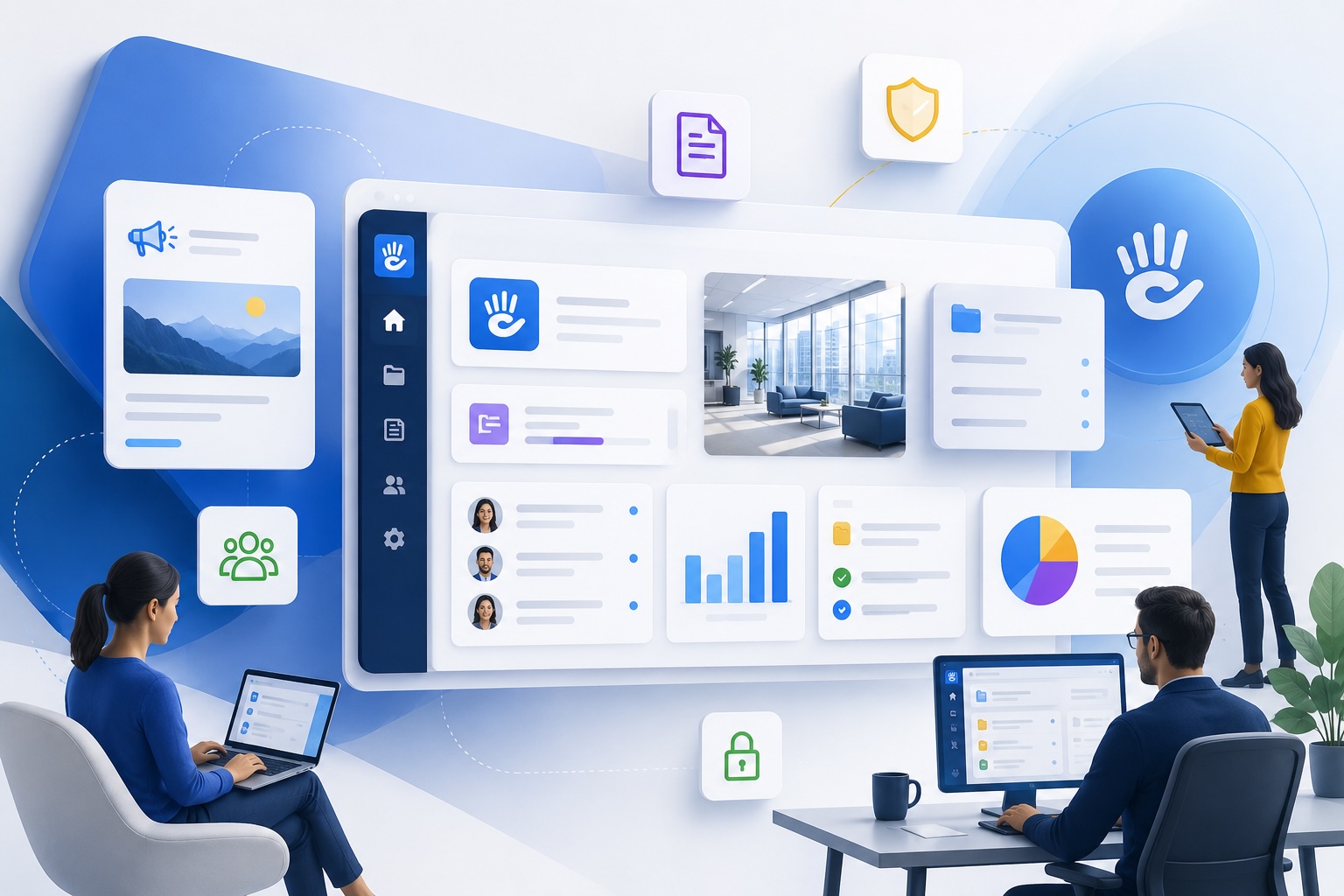
If you've ever found yourself asking a coworker where to find the vacation policy - and they told you to ask someone else, who told you to check a Teams channel, which linked to a PDF that may or may not be current - congratulations, you've experienced what a bad intranet (or no intranet) feels like in practice.
An intranet exists to solve exactly that problem. It's the place where your organization's collective knowledge lives in an organized, accessible, maintainable way - so your people can find answers without bugging anyone.
Here's everything you actually need to know about intranets: what they are, why they matter, how they work, and what separates a good one from a digital junk drawer no one uses.
What Is an Intranet?
An intranet is a private, internal website accessible only to your organization's employees and authorized users. Think of it as your company's virtual headquarters - not a document dump, but a real destination where staff can find information, get work done, and stay connected.
The best way to explain it: the internet is for everyone. An intranet is for your team.
In a hybrid or remote workplace, your intranet often does the job your physical office used to do - orienting new hires, surfacing who owns what, and keeping people in the loop without requiring an all-hands meeting every time something changes.
A well-built intranet handles a few core things really well:
A single source of truth. HR policies, IT procedures, benefits documentation, org charts - all in one place, all current. No more "I got this from someone two years ago, not sure if it's still accurate."
Easy content management. If adding a page or updating a policy requires filing an IT ticket, the content will go stale fast. Good intranets put content creation in the hands of the people who own it.
Secure access control. Not everyone needs to see everything. A good intranet lets you define what each role can see, edit, and publish - and integrates with your existing single sign-on (SSO) setup so login isn't yet another thing to manage.
Navigation that makes sense to humans. Search and browse paths should reflect how your employees actually think about information, not how your IT department organized their file server in 2011.
Intranet vs. Internet vs. Extranet: What's the Difference?
These three terms get mixed up constantly, so let's settle it:
The internet is the global public network. Anyone can access it.
An intranet is a private, internal network. Only employees and authorized internal users get in - typically via login, SSO, or VPN.
An extranet is a controlled extension of an intranet that allows limited access to outsiders: partners, vendors, clients, contractors. It's not public, but it's not strictly internal either.
A practical way to think about it: your HR policy hub is an intranet. Your brand asset portal where approved vendors can download your logo and brand guidelines is an extranet. The public website where anyone can read about your products is the internet.
Many organizations end up running all three - a public website, an employee intranet, and one or more extranets for specific partner or customer audiences - sometimes built on the same underlying platform.
Are Intranets Still Relevant?
Yes, and the shift to hybrid and remote work made them more important, not less. When you can't walk over to someone's desk and ask a question, the cost of information being hard to find goes up significantly.
Some context worth internalizing: new hires who can't figure out how your organization works often don't ask - they struggle, and eventually they leave. The tribal knowledge problem (where the only way to know how things work is to know the right person to ask) is genuinely expensive. It slows onboarding, creates bottlenecks, and makes organizations brittle when key people turn over.
A functioning intranet addresses all of that. It's not a nice-to-have for distributed organizations - it's infrastructure.
The criticism you hear more often is that intranets get stale and die. That's a real problem, and it's usually a platform problem. When updating the intranet is slow, technical, or requires IT involvement, content managers stop doing it. When employees stop finding accurate information, they stop visiting. The whole thing becomes a cautionary tale and a political headache.
The solution isn't giving up on intranets - it's picking a platform where non-technical people can own and update content without help.
Intranet vs. SharePoint: An Honest Comparison
SharePoint gets used as an intranet at a lot of organizations because it's already there - it comes with the Microsoft 365 license, and the path of least resistance is to use what you have.
The problem is that SharePoint is fundamentally a document management system. It's very good at organizing and version-controlling files. It was not designed to be an engaging communications destination, and most employees can tell the difference.
Common patterns you see at SharePoint intranet deployments: the HR folder structure is decent, the search is frustrating, no one reads the news section because it looks like a spreadsheet, and company-wide announcements still get sent via email because no one expects people to check SharePoint.
That's not a knock on Microsoft - it's a recognition that SharePoint solves a different problem. If what you need is an actual employee communications hub with real navigation, clear content hierarchy, and an editing experience that doesn't require a training course, a purpose-built CMS is worth evaluating.
We've written about this more specifically in Why SharePoint Isn't Enough for Your Internal Communications if you want the full comparison.
Real-World Intranet Examples
Talking about intranets in the abstract only goes so far. Here's what they look like in practice.
The Home Depot: Training Portal with Measurable Results
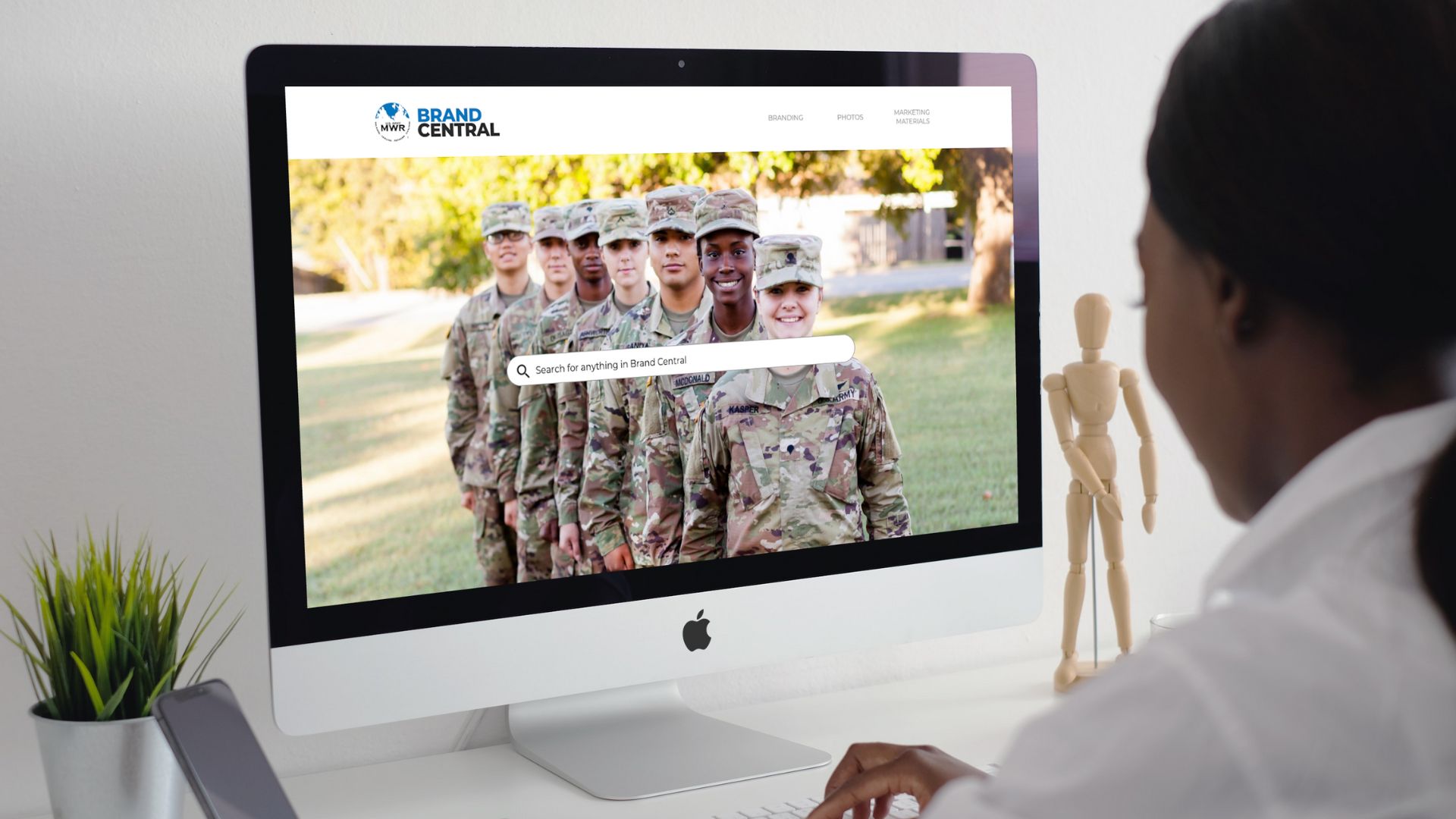
Not all intranets are about passive content consumption. The Home Depot built an interactive training portal on Concrete CMS to handle appliance warranty training - with quizzes, contests, and content designed to drive actual engagement.
The results were measurable: a 35% increase in appliance warranty sales, and more than 10x improvement in user adoption compared to the previous approach. Monthly reporting gave the team visibility into what content was working and informed what to build next.
Read The Home Depot Case Study

BASF: Internal Communications Across 100,000 Employees
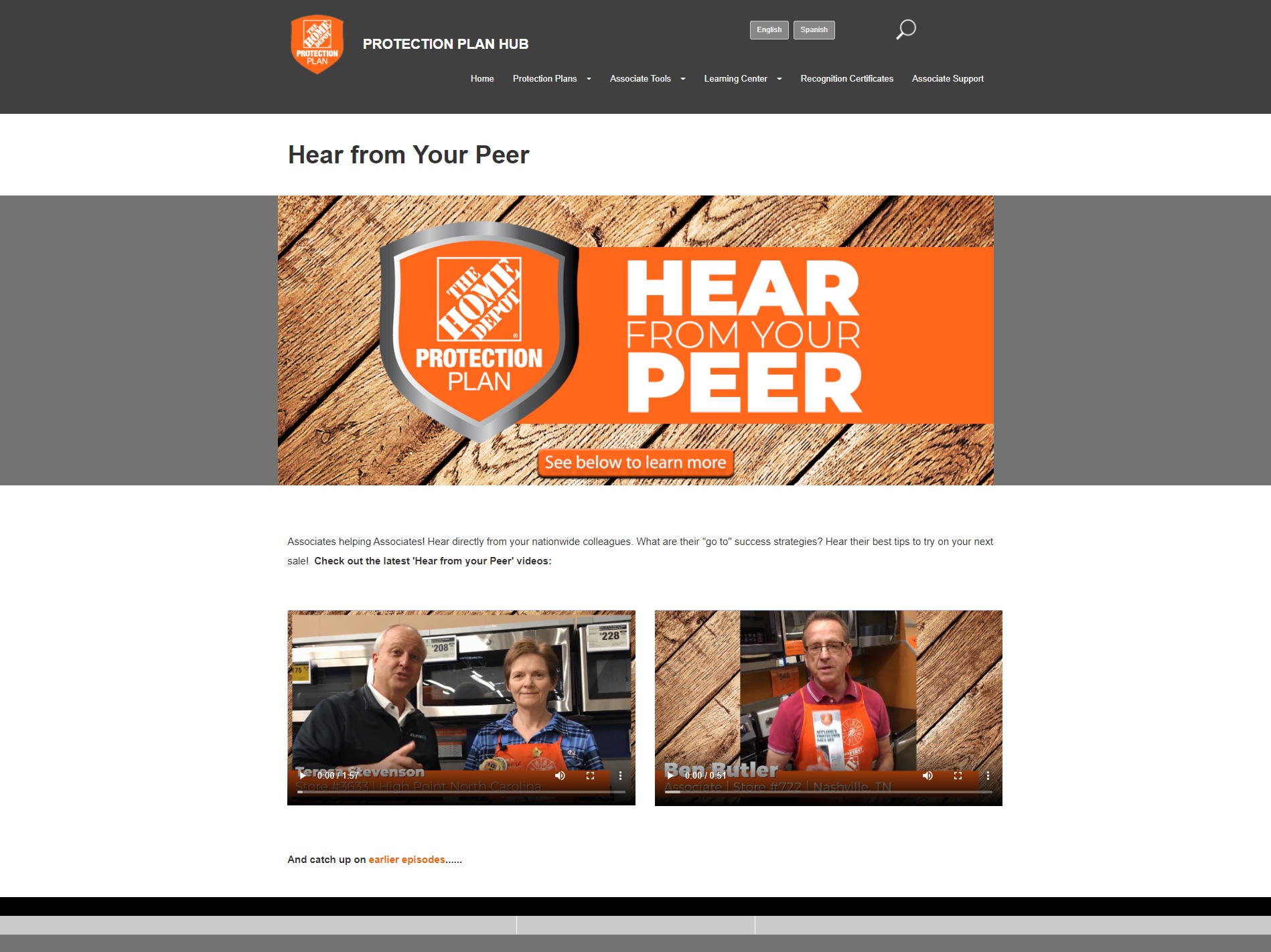
BASF needed to keep employees across a global organization aligned on company news, departmental updates, and official resources - while following a strict brand style guide developed by headquarters in Germany. Different business units needed enough flexibility to present information in ways that made sense for their context, but the overall experience had to be cohesive.
They built their internal communications intranet on Concrete CMS. Login is tied to BASF's existing SSO system, including their USB-based identity card. Content editors can create and update pages without developer involvement. The result is a destination that employees actually use to find official information rather than relying on email threads and Teams chats.
You can read more in the BASF case study.
U.S. Army MWR: Extranet for Brand Asset Management
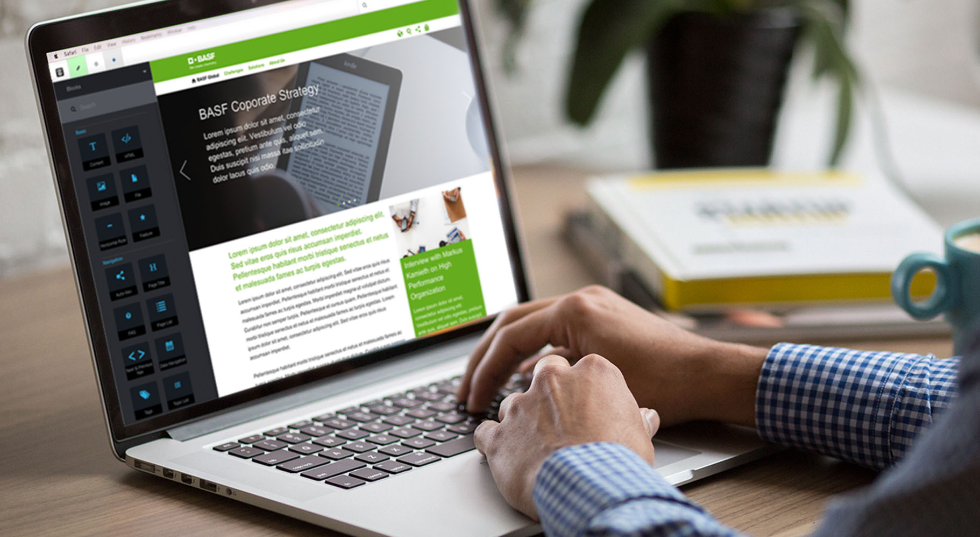
The Army MWR Brand Central is a good example of an extranet done well. It gives content editors across more than 80 garrison locations access to approved digital assets - logos, imagery, brand guidelines - with AI-powered tagging to make finding the right asset fast.
The security requirements here are not trivial. It's worth noting: if your security team's concern about a CMS is "how do we know it's actually secure," the answer for Concrete is that it's running significant parts of a major military branch's web presence. That tends to close the conversation.
What Makes a Good Intranet? Features Worth Prioritizing
Not all features matter equally. Here's what actually moves the needle on intranet adoption:
Intuitive editing experience. If the people responsible for content find it difficult or tedious to add and update information, the intranet will go stale. This is probably the single most important feature to evaluate. Ask the communication manager who will own the content, not just the IT manager who will deploy it.
SSO integration. Employees won't use an intranet that requires a separate password. SSO integration (with Microsoft 365, Google, Okta, or whatever your organization uses) is table stakes.
Granular permissions. Different departments need different levels of access. The ability to define who can view, edit, and publish in each section - without making it a complex IT project - is worth paying for.
Search that works. If people can't find things, they'll stop trying. Full-text search across all content, including documents and attachments, is essential.
Mobile-friendly design. Plenty of your employees aren't sitting at desks. Distributed workforces, frontline workers, field teams - they need an intranet that works on a phone.
News and announcements with some visibility. A news hub only works if people see it. Consider what brings employees to the front page of your intranet regularly.
Common Intranet Challenges (and What to Do About Them)
"Nobody uses it." Usually a content staleness problem, which is usually a platform problem. If the editing experience is painful, content owners won't maintain it. Employees stop visiting when they can't trust what they find. Solution: choose a platform with a genuinely easy content management experience, and then put real content owners in charge of each section.
"We can't get IT to support another tool." A reasonable concern. Open source platforms like Concrete CMS can be self-hosted within your existing infrastructure, which means IT maintains full control and your security team can audit the code directly. That's a very different conversation than asking IT to approve another SaaS vendor.
"The budget isn't there." Per-user SaaS pricing gets expensive fast at scale. Fixed-cost hosting removes that variable. It's worth doing the math on what a per-seat platform actually costs at your headcount before defaulting to "too expensive."
"Leadership doesn't see the ROI." We've written about measuring intranet success - there are real metrics you can track, from content engagement to search volume to support ticket deflection. The ROI argument gets easier when you can point to concrete numbers.
How to Build an Intranet: Where to Start
You don't have to build everything at once. In fact, the organizations that end up with good intranets usually started narrow and expanded.
A practical starting point: HR information. Policies, onboarding documents, benefits details - this is content employees actively need, it's relatively stable, and it doesn't require a large editorial team to maintain. Get that right, then add news, department pages, and additional functionality as adoption builds.
Platform selection matters more than most people realize. The platform determines how easy content management will be long-term, how customizable it is when your needs evolve, and how much you're locked in. Open source platforms give you more flexibility and transparency - you own your content and your infrastructure.
Get your content owners involved early. The people who will manage the intranet day-to-day should be part of the platform decision, not just IT. A platform that feels intuitive to a communications manager is worth more than one that's technically elegant but requires developer help for routine updates.
For a more detailed walkthrough, see our guide on how to create an employee web portal and our intranet software comparison.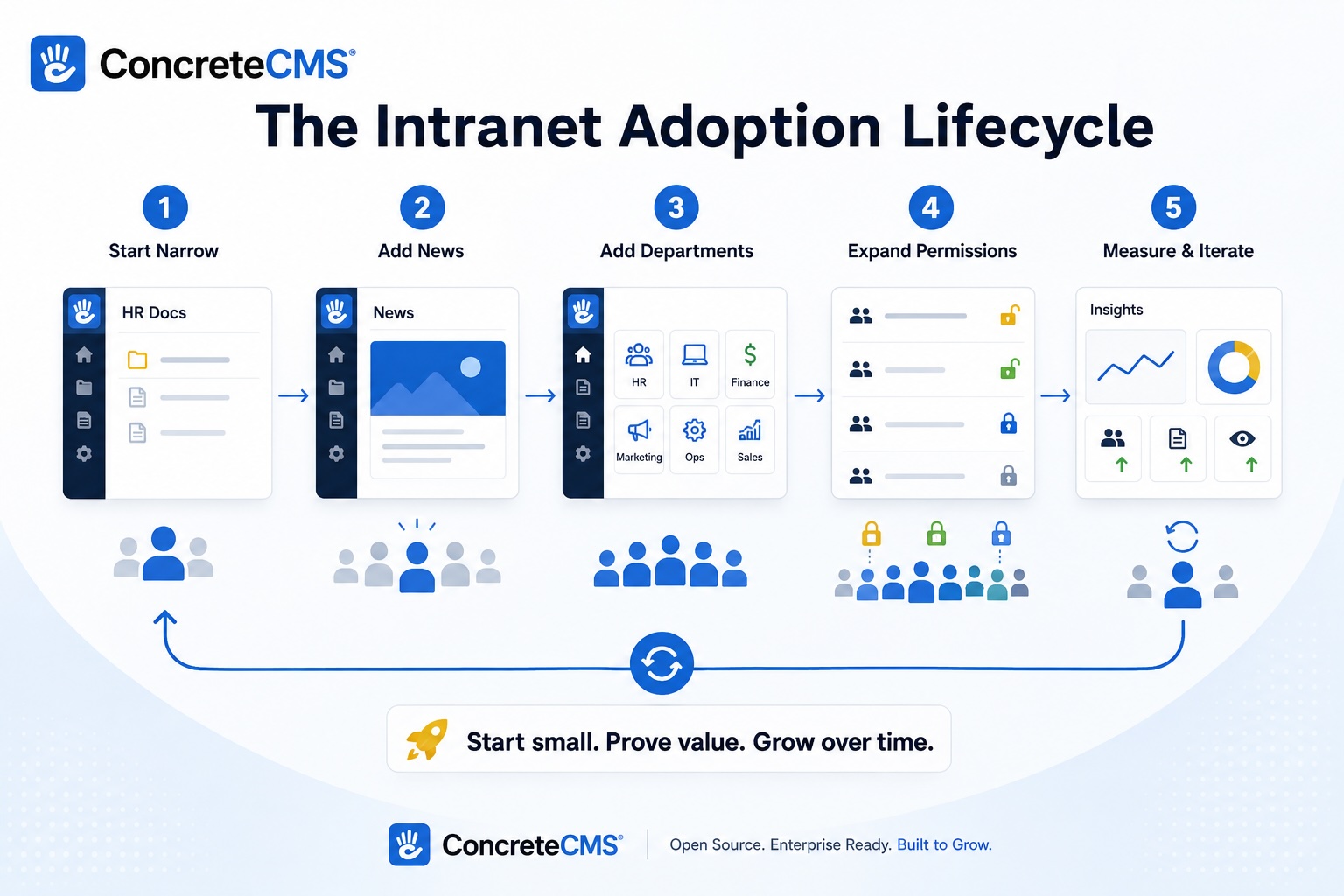
Intranet Security Basics
Security is worth a dedicated section because it's the question that tends to stall intranet projects, especially in regulated industries.
The fundamentals: your intranet should enforce role-based access (not everyone should see everything), integrate with your SSO provider so authentication is handled by your existing identity infrastructure, encrypt data in transit and at rest, and receive regular updates.
If you're in a compliance-sensitive environment - government, healthcare, finance - you'll want to look for platforms with documented security practices, clear update cadences, and the ability to host within your own infrastructure if required. The ability to audit the codebase matters. A black-box SaaS tool is a harder sell to a compliance team than an open source platform where they can see exactly what's running.
We cover the technical specifics in more depth in our piece on how to secure your intranet.
A Note on Intranets vs. Employee Experience Platforms
You'll see "employee experience platform" used a lot in vendor marketing. In practice, these are usually enterprise-priced SaaS products that bundle intranet features with social feeds, recognition tools, and analytics dashboards.
If your organization has the budget and those features genuinely matter to you, they're worth evaluating. But a lot of organizations pay for features they don't use and end up with a platform that's harder to customize than a well-deployed open source CMS.
The honest framing: if what you actually need is a place where employees can reliably find information and communications are easy to manage, a purpose-built intranet on a flexible CMS will often serve you better - and at lower total cost - than a feature-heavy EXP.
Ready to See What This Looks Like?
We've helped organizations from BASF to the U.S. Army build intranets that people actually use. If you want to see Concrete CMS in action rather than just read about it, the fastest way is to try it yourself.
Schedule a demo and we'll set you up with a live instance.
Frequently Asked Questions About Intranets
What does intranet mean?
The word "intranet" combines "intra" (meaning within) and "net" (short for network). It literally means a network that exists within an organization - a private version of the internet accessible only to your employees and authorized users.
When was the intranet invented?
The concept emerged in the early 1990s alongside the rise of the World Wide Web. Organizations started building internal websites using the same HTTP and HTML technologies as the public internet, but behind firewalls. By the mid-1990s, "intranet" had become a mainstream business term. The technology has evolved enormously since then - from static HTML pages to fully dynamic platforms with permissions, workflows, and SSO - but the core idea is the same.
How does an intranet work?
An intranet works like a website, but access is restricted. It runs on a web server (either hosted internally or in the cloud), and employees access it through a browser - often after authenticating via single sign-on tied to your existing identity provider (Microsoft, Google, Okta, etc.). Content is managed through a CMS, which lets non-technical editors create and update pages without touching code. Permissions control what each user or role can see and edit. The whole thing sits behind your organization's security infrastructure, so it's not reachable from the public internet without authentication.
What are the different types of intranets?
Most intranets fall into one of a few categories, though in practice they often overlap:
Communications intranets focus on company news, announcements, and executive messaging. Think of it as a destination employees check to know what's happening across the organization.
HR portals centralize benefits information, policies, onboarding materials, and forms. The goal is employee self-service - fewer questions to HR, faster answers for staff.
Knowledge bases house how-to documentation, process guides, and institutional knowledge. Especially valuable for onboarding and for organizations with high complexity or turnover.
Project and team intranets give specific departments or working groups a private space to collaborate, share updates, and store relevant resources.
Extranets extend intranet access to outside parties - vendors, partners, clients - with carefully scoped permissions. Technically a distinct category, but often built on the same platform.
Is an intranet still a thing?
Yes - and hybrid work made the case for intranets stronger, not weaker. When your team is distributed, the cost of not having a reliable source of internal truth goes up. The intranets that "died" usually died because they were hard to maintain and went stale, not because the concept was wrong. Modern platforms have largely solved that problem by putting content management in the hands of the people who own the content.
What is the difference between an intranet and the internet?
The internet is a global public network anyone can access. An intranet is a private network restricted to your organization. They use the same underlying technologies (HTTP, HTML, browsers) but an intranet sits behind authentication and access controls that keep it internal.
Can you access an intranet from home?
Yes. Most modern intranets are browser-based and accessible from anywhere with an internet connection, authenticated via SSO or VPN depending on your organization's security requirements. This is one reason cloud-hosted intranets have become the default - employees can access them from home, on mobile, or while traveling without needing to be on a corporate network.
What are the different types of intranet software?
Broadly, you're choosing between three categories. Open source CMS platforms (like Concrete CMS) give you full control, can be self-hosted, and are customizable to your needs - a good fit for organizations with security or compliance requirements. Dedicated SaaS intranet tools (like Simpplr or Staffbase) are faster to deploy and come with built-in employee experience features, but cost more per user and offer less flexibility. Document management tools (like SharePoint) are often repurposed as intranets but were designed for a different job. Each category has legitimate use cases - the right answer depends on your headcount, your technical resources, and how much you need to customize.
How long does it take to build an intranet?
It depends heavily on scope and platform. A focused HR information hub on a platform with sensible defaults can be live in weeks. A full-featured enterprise intranet with custom integrations, SSO, department pages, and a content migration from an old system typically takes several months. The mistake most organizations make is trying to build everything at once. Starting with a narrow, high-value use case - HR policies, company news, onboarding documentation - gets you to a working product faster and builds organizational buy-in before you expand.
How much does an intranet cost?
Costs vary widely. SaaS platforms with per-user pricing can get expensive fast at scale - if you have 500 employees and you're paying $5-10 per user per month, that's $30,000-$60,000 a year before any customization costs. Open source platforms like Concrete CMS run on fixed hosting costs, which means your cost doesn't scale with headcount. For mid-market organizations, this is often a meaningful difference. Implementation and design costs are separate from licensing and depend on how much custom work is involved.
How do you get employees to actually use the intranet?
This is the real question, and the honest answer is that adoption is mostly a content problem, not a technology problem. Employees use intranets when they reliably find accurate, useful information there. They stop using them when content is stale, hard to find, or clearly not maintained. The practical prescription: put real content owners in charge of each section (not just IT), start with information employees genuinely need (HR, policies, onboarding), make sure the editing experience is easy enough that non-technical staff will actually use it, and treat launch as the beginning, not the end. We go deeper on this in 8 Ways to Increase Employee Engagement with Intranet Content.
Is open source intranet software safe?
Yes - and the argument can be made that open source is safer for security-conscious organizations, not less safe. When your security team can audit the codebase directly, there are no hidden black boxes. Vulnerabilities are identified and patched by a community, often faster than proprietary vendors release updates. And with open source, you can host within your own infrastructure, which means you control where your data lives. Concrete CMS runs significant parts of the U.S. Army's web presence - if it clears that bar, it's worth a serious look for most compliance environments.
What is the difference between an intranet and a portal?
The terms are often used interchangeably, but there's a useful distinction. An intranet is primarily a content and communications destination - a place you go to read and find information. A portal is more of a gateway - a centralized hub that aggregates links, tools, and data feeds from multiple systems into one view. In practice, modern intranets often incorporate portal-like features (single sign-on links, embedded dashboards, SSO to other tools), and the line between them has blurred. If someone at your organization calls it a portal, they probably mean an intranet with some integration layer on top.
How do you migrate from an old intranet?
Slowly and selectively. Trying to migrate everything at once is how intranet migrations fail - you end up with the same content problems you had before, just on a new platform. A better approach: audit what content is actually being used (most of it probably isn't), bring over only what's current and valuable, and build new sections fresh rather than porting old ones. Use the migration as an opportunity to rethink structure and content ownership, not just change the technology. Plan for some overlap period where both systems exist so employees aren't left without a resource while the new one is being built out.
More on Intranets
- 6 Tips to Make Employees Love Your Intranet
- 8 Ways to Increase Employee Engagement with Intranet Content
- Why Employees Don't Use the Intranet - and How to Fix It
- Using an Intranet for HR: Tips and Best Practices
- How to Use an Intranet for Internal Communications
- Enterprise Intranet Solutions with Concrete CMS: Use Cases and Success Stories
- Why SharePoint Isn't Enough for Your Internal Communications
- 8 Intranet Key Metrics That Measure Adoption and Engagement
- Intranet Software Comparison: Choosing the Best Solution for Your Business
Learn More About Concrete
Interested in saving time and having a secure website? Learn what Concrete CMS can do for you.